The Workflow Builder logs feature is used to display the logs of the workflow. Whenever a workflow is triggered, the key nodes along its path are documented to show relevant behavior.
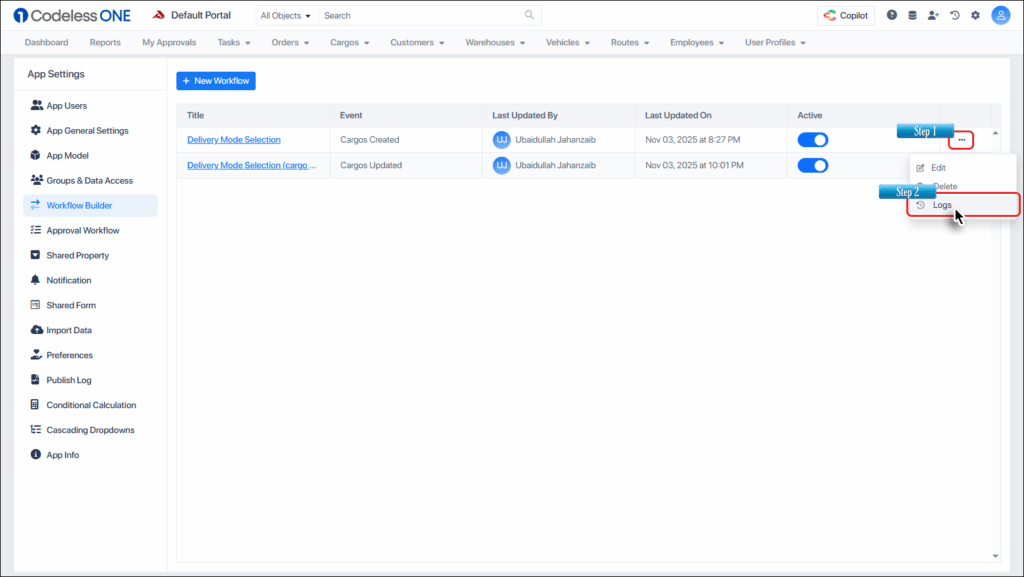
To access the feature, click the ellipsis button besides the relevant workflow, and select the Logs option.
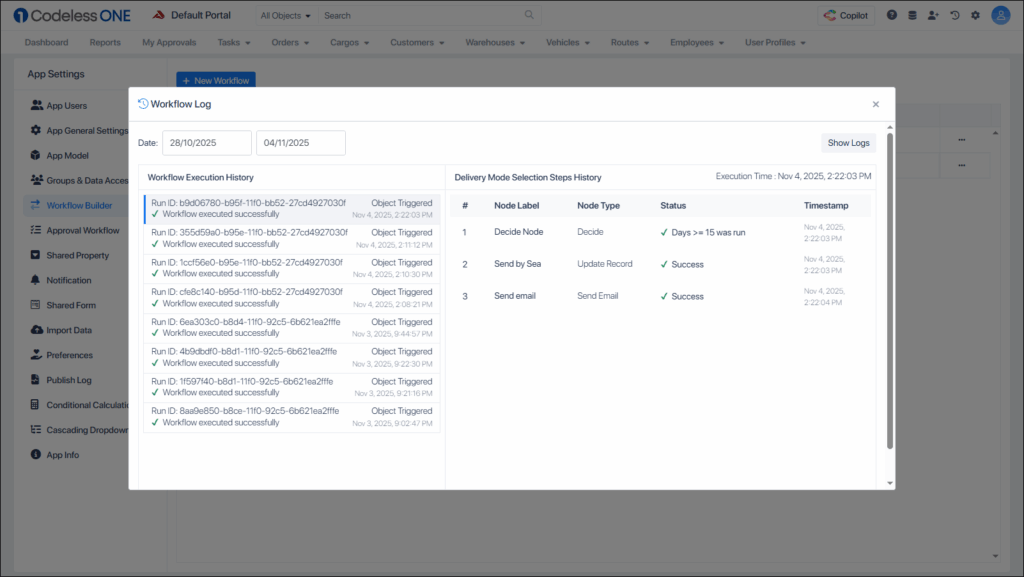
The logs window appears.
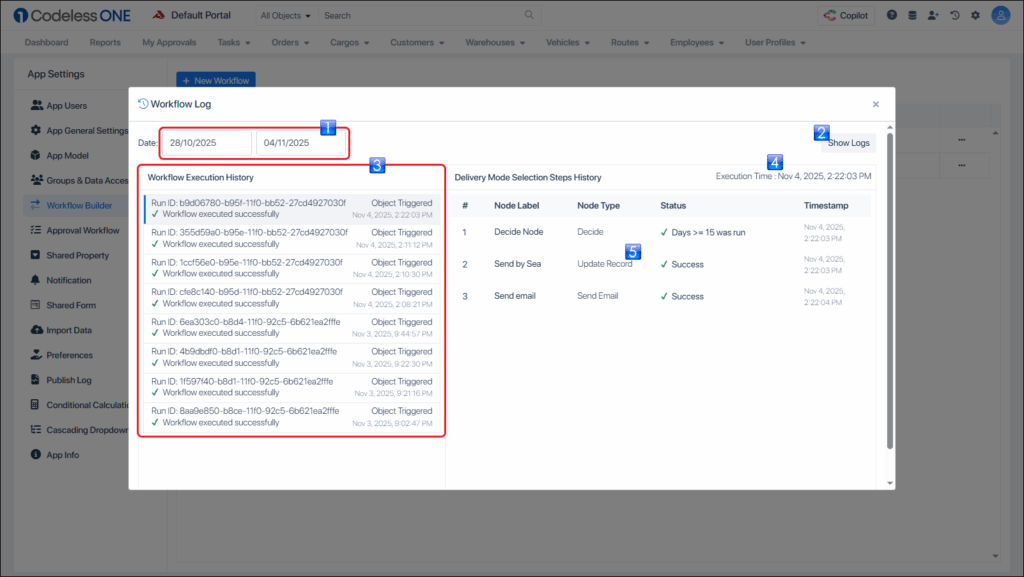
The window’s UI is elaborated in the following image.
Date Range Selector
The Show Logs button used to show the logs based on the selected range
Workflow Execution History lists all the relevant workflow triggers and their brief outcome – success or failure
Workflow’s Steps History shows timestamp of the selected execution of the workflow
Path taken/key actions performed in the workflow
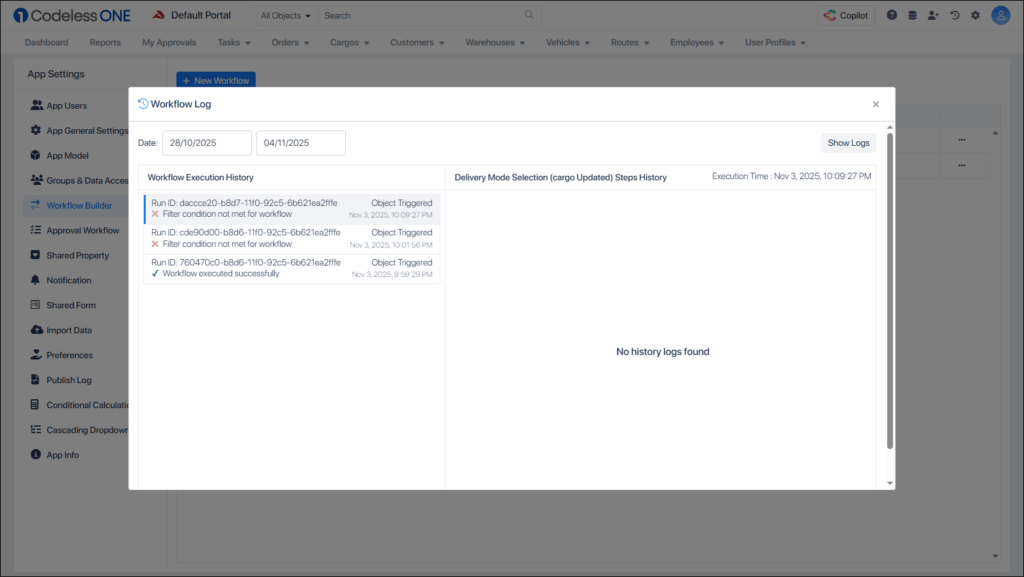
In case the workflow is not triggered, it is also documented (and then listed) in the logs.